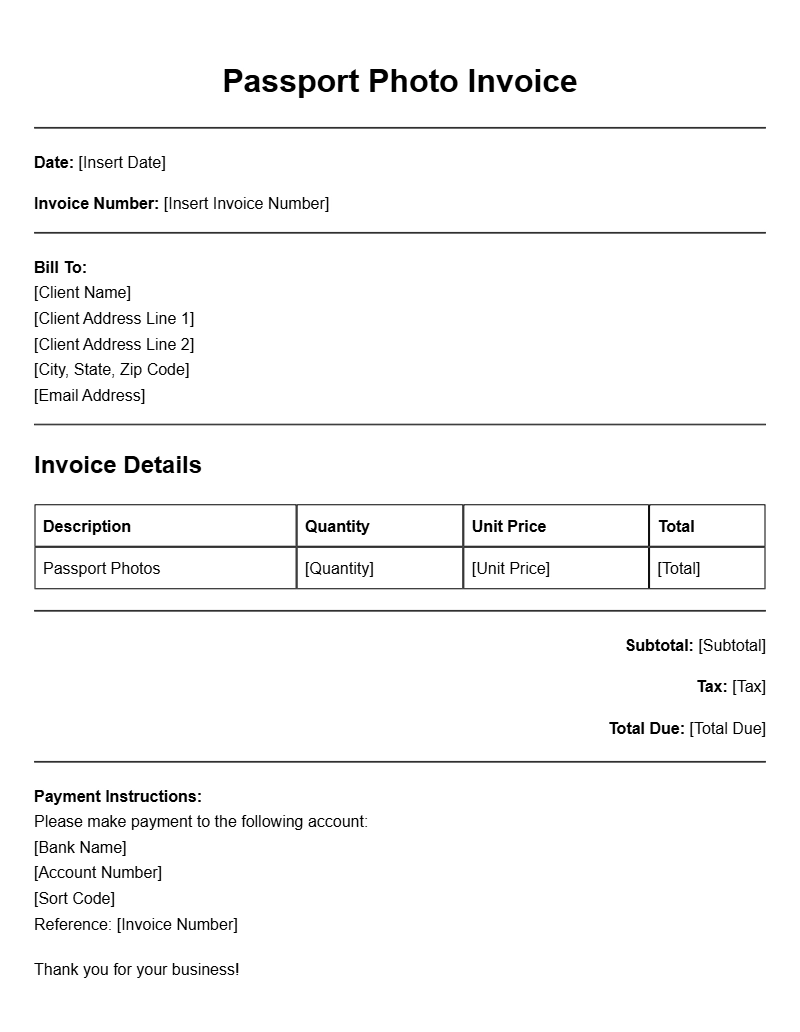
When you need a passport photo, the last thing on your mind might be the accompanying paperwork. Yet, if you’re a photographer or run a photo booth, offering a passport photo service can be a great addition to your business. That’s where passport photo invoice templates come into play. They help you streamline your billing process and ensure that you get paid promptly for your services.
WHAT ARE PASSPORT PHOTO INVOICE TEMPLATES?
A passport photo invoice template is a pre-designed document that allows you to bill clients for the passport photos you provide. These templates usually include all necessary elements to make the invoice clear and professional, ensuring both you and your clients understand the transaction.
WHEN ARE THEY USED?
Passport photo invoices are commonly used in several scenarios:
- Photography studios providing passport photo services.
- Mobile photographers who take passport photos on location.
- Photo booths at events or public places.
Whenever a client requires passport photos, an invoice helps formalize the transaction and serves as a record for both parties.
KEY COMPONENTS OF A PASSPORT PHOTO INVOICE
When creating a passport photo invoice, certain key sections should be included:
- Your Business Information: Include your business name, address, contact details, and logo.
- Client Information: Name and contact information of the client.
- Invoice Number: A unique identifier for tracking purposes.
- Date of Service: The date when the photos were taken.
- Description of Services: Briefly describe the services rendered (e.g., “2 passport photos”).
- Pricing: Include the cost of the service and any additional fees.
- Total Amount Due: Clearly state the total amount the client needs to pay.
HOW TO WRITE A PASSPORT PHOTO INVOICE
Follow these steps to create your invoice:
- Start with your business information at the top.
- Include the client’s details below your information.
- Add an invoice number and date.
- List the services provided along with their prices.
- Calculate the total amount due.
- Include payment methods accepted.
EXAMPLES OF PASSPORT PHOTO INVOICE TEMPLATES
Here’s a simple example of what your passport photo invoice might look like:
Your Business Name
Your Address
Your City, State, Zip
Your Phone Number
Your Email
Client Name
Client Address
Invoice #001
Date: [Insert Date]
Description | Quantity | Price | Total
———————————————————
Passport Photos | 2 | $15.00 | $30.00
———————————————————
Total Amount Due: $30.00
COMMON MISTAKES TO AVOID
Here are some pitfalls to watch out for:
- Not including all client details, which can lead to confusion.
- Forgetting to number invoices sequentially, complicating your records.
- Not specifying payment methods can delay the payment process.
TIPS FOR CUSTOMIZATION
Make your invoice stand out by customizing it:
- Add your logo to enhance branding.
- Use a professional font and color scheme that matches your brand.
- Include a personalized note thanking the client for their business.
Creating a passport photo invoice may seem like a small detail, but it can make a big difference in how you manage payments. By using a template, you ensure clarity, professionalism, and efficiency. Whether you’re offering passport photos at a busy event or running a photography studio, having a reliable invoicing system in place will help keep your business organized and thriving.
General Document Template Collection