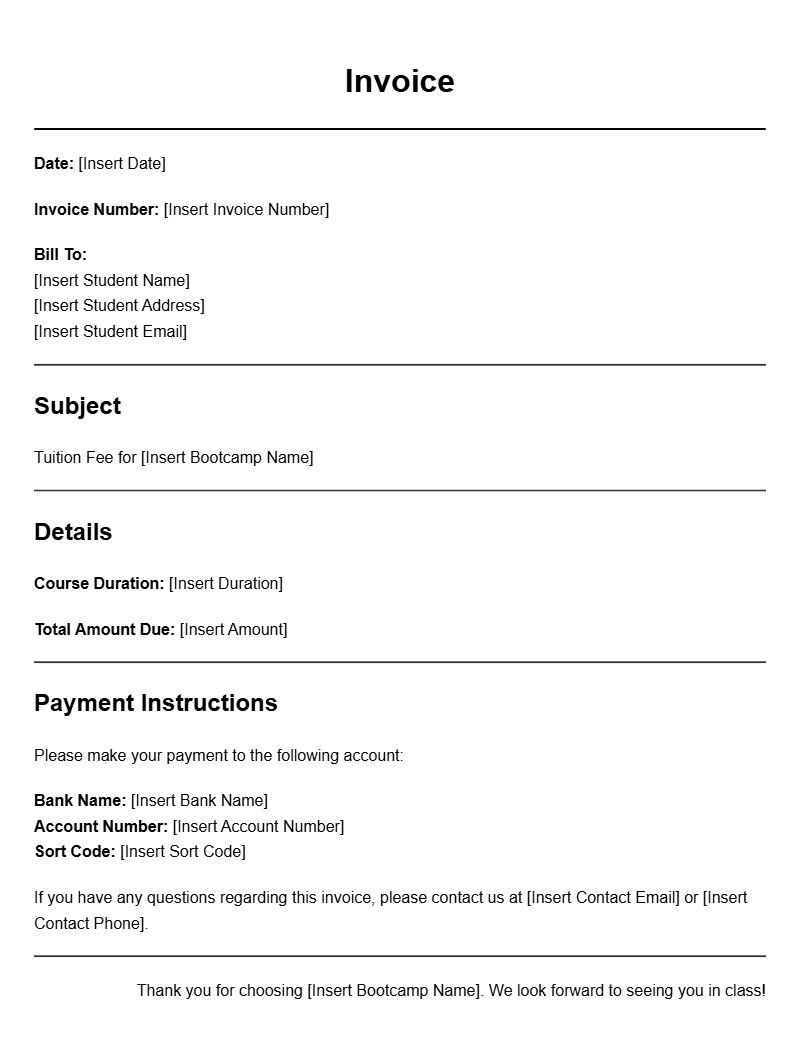
Coding bootcamp invoice templates are essential tools for any coding bootcamp instructor or organization looking to streamline their billing process. These templates help ensure that both you and your clients have clear records of services rendered, making it easier to manage payments and track finances. If you’re running a coding bootcamp or teaching classes, having a well-structured invoice can make a significant difference in professionalism and efficiency.
WHAT IS A CODING BOOTCAMP INVOICE TEMPLATE?
A coding bootcamp invoice template is a pre-designed document that provides a structured format for billing clients for services related to coding education. This may include fees for classes, workshops, or private tutoring sessions. The template typically includes sections for detailing the services provided, payment terms, and contact information, making it easy to customize for each client.
WHEN IS IT USED?
These templates are used whenever you need to charge students or companies for coding-related services. For example, after completing a workshop or a series of classes, you would generate an invoice from your template to request payment. This helps maintain clear communication regarding financial transactions and sets expectations for both parties.
KEY COMPONENTS OF A CODING BOOTCAMP INVOICE
- Your Business Information: Include your name, business name, address, phone number, and email.
- Client Information: Include the client’s name, address, and contact details.
- Invoice Number: A unique identifier for tracking invoices.
- Date of Issue: The date when the invoice is generated.
- Services Provided: A detailed list of the classes or services, including dates and descriptions.
- Total Due: Clearly state the total amount the client owes.
- Payment Terms: Include details on when payment is due and accepted payment methods.
STEP-BY-STEP WRITING GUIDE
Creating your invoice is straightforward. Follow these steps:
- Choose Your Template: Find a coding bootcamp invoice template that suits your style.
- Fill in Your Information: Add your business details at the top of the invoice.
- Add Client Information: Input the recipient’s details accurately.
- List Services: Clearly outline the services provided, including any relevant dates and descriptions.
- Calculate Total: Add up the fees and include any taxes, if applicable.
- Specify Payment Terms: Mention when payment is due and how clients can pay.
- Review and Send: Check for errors before sending it to your client.
REALISTIC EXAMPLES/TEMPLATES
Here’s a simple invoice template to get you started:
Your Business Name
Your Address
Your Phone Number
Your Email
Invoice Number: 001
Date of Issue: [Insert Date]
Bill To:
Client Name
Client Address
Services Provided:
– Coding Workshop (Date: [insert date]) – $500
– Private Tutoring Session (Date: [insert date]) – $200
Total Due: $700
Payment Terms: Due within 30 days. Pay via bank transfer or PayPal.
COMMON MISTAKES TO AVOID
- Inaccurate Information: Double-check all names, addresses, and amounts.
- Overlooking Payment Terms: Clearly state when and how payments are to be made.
- Not Keeping Records: Always save copies of sent invoices for your records.
TIPS FOR CUSTOMIZATION
To make your invoice stand out, consider these personalization tips:
- Add your logo for branding.
- Use a consistent color scheme that reflects your business identity.
- Include a personal note thanking the client for their business.
By utilizing a well-structured coding bootcamp invoice template, you can simplify your billing process and maintain a professional appearance. Start creating your invoices today to ensure clarity and organization in your business dealings.
Template Variations & Sample Formats