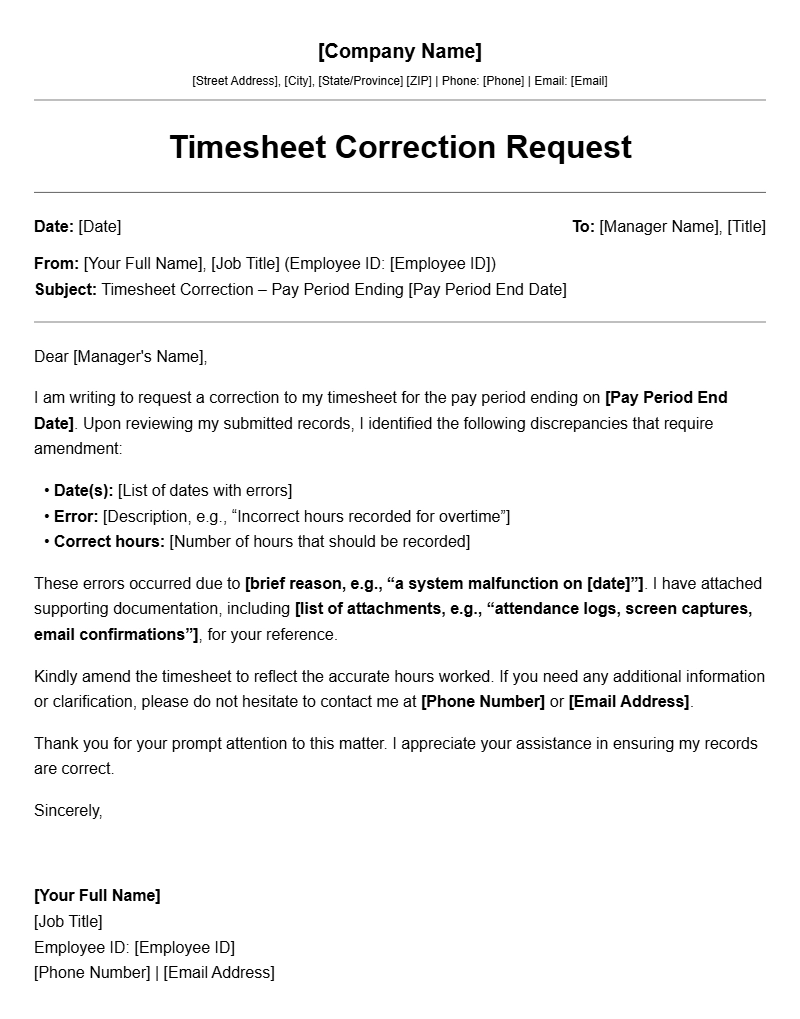
Let me walk you through how to write a timesheet correction letter that actually works. I’ve helped dozens of colleagues and clients fix timesheet errors over the years, and I know how frustrating it can be when you need to correct a mistake but don’t know where to start. This guide will give you ready-to-use templates and practical advice you can apply right away.
What Is a Timesheet Correction Letter?
A timesheet correction letter is a formal written request to fix errors on your time tracking records. Think of it as your paper trail when hours got recorded incorrectly, whether that’s wrong dates, incorrect project codes, or accidentally logging time you didn’t actually work. These letters go to your supervisor, HR department, or payroll team depending on who handles time tracking at your company.
You might also hear people call these “timesheet adjustment requests” or “time correction memos.” The name varies by organization, but the purpose stays the same: document what went wrong and formally request it gets fixed before payday.
When You Need a Timesheet Correction Letter
Not every small mix-up requires a formal letter. Here’s when writing one makes sense:
- Payroll already processed and you need to flag a discrepancy
- Your company’s time tracking system requires manager approval for corrections
- You’re disputing hours that were docked incorrectly
- You need a written record in case of future payroll audits
- Your manager asked you to submit a formal correction request
If you caught the error before payroll ran, a quick email might suffice. But when money’s involved or the process requires documentation, a proper letter shows professionalism and protects you.
Key Components of a Timesheet Correction Letter
Every solid timesheet correction letter needs these elements:
Header Information
Include your full name, employee ID, department, and the date you’re submitting the request. Your manager’s name goes here too if you know it. This helps payroll match your letter to your account quickly.
Original Timesheet Details
Specify exactly which timesheet needs fixing. Include the pay period dates, the specific days with errors, and what the incorrect entries show versus what they should show.
Explanation of the Error
Briefly explain what happened. Did you misread the date? Did you enter the wrong project code? Was there a system glitch? Be honest but concise. Your goal is clarity, not a long story.
Corrected Information
Provide the accurate data that should replace the wrong entries. Use a simple format that makes comparison easy.
Supporting Documentation
Mention any attachments like screenshots, calendar entries, or receipts that support your correction. Attach copies to strengthen your case.
Request and Signature
State clearly what action you want taken and by when. Sign and date the letter, and include your contact information in case someone needs to follow up.
Step-by-Step Guide to Writing Your Letter
Follow these steps to create an effective timesheet correction letter in about 10 minutes:
- Gather your information first. Before writing anything, pull up the incorrect timesheet entry and any evidence supporting the correction. Having this ready prevents back-and-forth later.
- Check your company’s policy. Some organizations have specific forms or procedures for timesheet corrections. Your HR team or payroll department website usually has this information.
- Write a clear subject line. If submitting via email, use something like “Timesheet Correction Request – [Your Name] – Pay Period [Dates]” so it gets routed correctly.
- State the problem in one sentence. Get to the point immediately. “I’m requesting a correction to my timesheet for the pay period ending [date].”
- Show the before and after. Use a simple table or bullet points to contrast the wrong entry against the correct one. Make it scannable.
- Add a brief explanation. One or two sentences explaining the cause of the error is enough. Skip the drama.
- Specify your desired outcome. “Please update my timesheet to reflect [correct hours] for [date/project] so this reflects in [next payroll date].”
- Include your signature block. Your name, employee ID, department, phone number, and email give payroll everything they need to process your request.
Editable Template Examples
Use whichever template matches your situation:
Template 1: Simple Hour Correction
[Your Name]
[Employee ID]
[Department]
[Date]
Re: Timesheet Correction Request
I am requesting a correction to my timesheet for the pay period beginning [start date] and ending [end date].
Error Details:
Incorrect Entry: [Date] – [8] hours logged to [Project Code/Name]
Correct Entry: [Date] – [7.5] hours logged to [Project Code/Name]
I accidentally entered the wrong number of hours for the above date. I worked [7.5] hours on [Project Name] but mistakenly recorded [8] hours under a different project code.
Please update my timesheet to reflect the correct hours. I have attached a screenshot of my actual work log for verification.
Thank you for your prompt attention to this matter. Please let me know if you need any additional information.
Sincerely,
[Your Name]
[Employee ID]
[Phone Number]
[Email Address]
Template 2: Missing Hours Correction
[Your Name]
[Employee ID]
[Department]
[Date]
Re: Missing Hours on Timesheet
I am writing to report that hours from [date(s)] are missing from my timesheet for the pay period ending [end date].
Missing Entries:
• [Date] – Worked [8] hours on [Project Code] – Not recorded
• [Date] – Worked [4] hours on [Project Code] – Not recorded
I was out of the office on [date] due to [reason: client meeting/office training/equipment issue] and accessed the time tracking system remotely. It appears the entries did not save properly. I have attached my calendar showing these appointments and emails confirming my work on these dates.
Please add these [12] hours to my timesheet under the appropriate project codes. I am available to discuss this further if needed.
Thank you,
[Your Name]
[Employee ID]
[Phone Number]
[Email]
Template 3: Wrong Date Entry
[Your Name]
[Employee ID]
[Department]
[Date]
Re: Timesheet Date Correction
I discovered an error on my timesheet where time was logged to the wrong date.
Correction Needed:
Currently shows: [Date] – [Project] – [8] hours
Should show: [Correct Date] – [Project] – [8] hours
I entered the date incorrectly when logging my hours for [project name]. The work was actually performed on [correct date], not [incorrect date].
Please move these [8] hours to [correct date]. I have attached my work log showing the actual dates I worked on this project.
Sincerely,
[Your Name]
[Employee ID]
[Contact Information]
Common Mistakes to Avoid
These errors slow down corrections and frustrate payroll teams:
- Being vague about dates. Writing “some time last month” wastes everyone’s time. Always specify exact dates.
- Not providing supporting evidence. Your word alone often isn’t enough. Screenshots, emails, or calendar entries strengthen your request.
- Asking for retroactive pay without checking deadlines. Many companies have cut-off dates for timesheet corrections. If payroll already closed for the period, you might need to wait for the next cycle.
- Over-explaining or apologizing excessively. One sentence about the error is fine. You don’t need to justify yourself or apologize for ten paragraphs.
- Forgetting to attach documents. Mention the attachments in your letter and actually include them. A letter that references “the attached screenshot” but has nothing attached delays processing.
- Using the wrong submission channel. If your company requires corrections through an online portal rather than email, submitting a letter directly might get ignored.
Tips for Customizing Your Letter
A few adjustments help these templates work better for your specific situation:
Match Your Company Culture
A tech startup might appreciate a casual tone in your explanation. A government agency or healthcare organization probably expects more formal language. When in doubt, keep it professional but friendly.
Adjust for Multiple Errors
If you have several corrections, use a simple table format instead of writing each one out separately. It takes up less space and makes the information easier to verify.
Account for Time Sensitivity
If you need the correction before an upcoming payroll date, say so politely. “I understand payroll processes on [day], so I would appreciate if this could be reviewed by [date] if possible.”
Consider Your Relationship with the Recipient
If you’re writing to someone you work with daily, you might keep it shorter and more conversational. If it’s going to HR or payroll directly, include all relevant details since they don’t know your situation.
Building Good Relationships Through Clear Communication
Timesheet corrections, while routine, offer an opportunity to demonstrate professionalism. When you submit clear, complete requests with all necessary documentation, you make the processor’s job easier. This matters because the same people handle payroll issues, and a reputation for being organized and considerate can help when you need favors or have unusual situations arise. Related to this, you might find our client onboarding letter templates helpful if you need to formalize other business communications.
Final Thoughts
A good timesheet correction letter does one thing above all else: it makes fixing your error easy for whoever receives it. Clear dates, exact figures, brief explanations, and attached evidence remove friction from the process. Use the templates above as starting points, adapt them to your company’s tone and procedures, and you’ll have fewer headaches when hour discrepancies pop up.
If your organization has its own correction request system or form, start there. Otherwise, these templates give you a solid foundation that works across most workplace environments. Good luck getting your timesheet sorted out.
Document Structure & Example Models