In the world of painting, whether you’re a seasoned pro or just starting out, keeping track of your finances is essential. One of the best ways to do this is by using painter invoice templates. These templates not only help you bill your clients accurately but also present your work in a professional light. Let’s explore what painter invoice templates are, when to use them, their essential components, and how you can customize them to fit your needs.
WHAT IS A PAINTER INVOICE TEMPLATE?
A painter invoice template is a pre-designed document that allows you to itemize the services you’ve provided, along with their associated costs. This document serves as a formal request for payment from your clients. It can be a simple document or more detailed, depending on your business needs.
WHEN TO USE PAINTER INVOICE TEMPLATES
You’ll want to use these templates after completing a job, whether it’s a residential painting project, commercial work, or even consultations. Sending an invoice promptly helps ensure you get paid on time. Additionally, using an invoice template can streamline your billing process, making it easier to manage multiple clients and projects at once.
KEY COMPONENTS OF A PAINTER INVOICE
Every effective painter invoice should include key sections. Here are the main components:
- Your Business Information: Name, address, phone number, and email.
- Client Information: Your client’s name and contact details.
- Invoice Number and Date: A unique invoice number and the date the invoice is issued.
- Description of Services: A detailed list of the services performed, including labor and materials.
- Payment Terms: Specify when payment is due and acceptable payment methods.
- Total Amount Due: Clearly state the total charge.
STEP-BY-STEP GUIDE TO WRITING A PAINTER INVOICE
Creating your invoice can be straightforward. Follow these steps:
- Choose a Template: Select a painter invoice template that suits your style. You can find free resources online or create one from scratch.
- Fill in Your Information: Start with your business name and contact details at the top.
- Add Client Details: Include your client’s name and address below your information.
- Assign an Invoice Number: This helps you keep track of your invoices.
- List Services Rendered: Detail the work completed, including any materials used.
- Include the Total: Calculate the total amount due, including any taxes or fees.
- Specify Payment Terms: Let your client know how and when to pay.
- Review and Send: Double-check your invoice for accuracy before sending it off.
EXAMPLES OF PAINTER INVOICE TEMPLATES
Here are some snippets you can use as a starting point:
Example 1:
Your Business Name
Your Address
Your Phone Number
Your Email
Client Name
Client Address
Invoice #001
Date: [Insert Date]
Description of Services:
– Interior Painting: $300
– Exterior Touch-up: $150
– Paint Supplies: $50
Total Amount Due: $500
Payment Terms: Due within 30 days. Pay via check or bank transfer.
Example 2:
[Your Logo]
Your Business Name
Your Contact Information
Client Name
Client Contact Information
Invoice #002
Date: [Insert Date]
Service Details:
– Living Room Painting: $400
– Kitchen Cabinet Refinishing: $250
Total Due: $650
Payment due by [Insert Date]. Accepting cash or credit card.
COMMON MISTAKES TO AVOID
When creating your invoices, keep these common pitfalls in mind:
- Missing essential information like invoice numbers or due dates.
- Failing to itemize services, which can lead to confusion.
- Not following up on unpaid invoices in a timely manner.
TIPS FOR CUSTOMIZATION
Every painter has a unique style and business model. Here are some tips to customize your invoice:
- Add your logo for branding.
- Use colors and fonts that reflect your business identity.
- Include a personal note or thank-you message to build client relationships.
Using painter invoice templates can simplify your billing process and enhance your professionalism. Don’t hesitate to adapt these templates to suit your specific needs and style. For more inspiration, check out examples for animators, dishwasher repairs, pet grooming, marine mechanics, and audio engineers to see how others in service industries handle their invoicing.
Ready-to-Use Document Samples
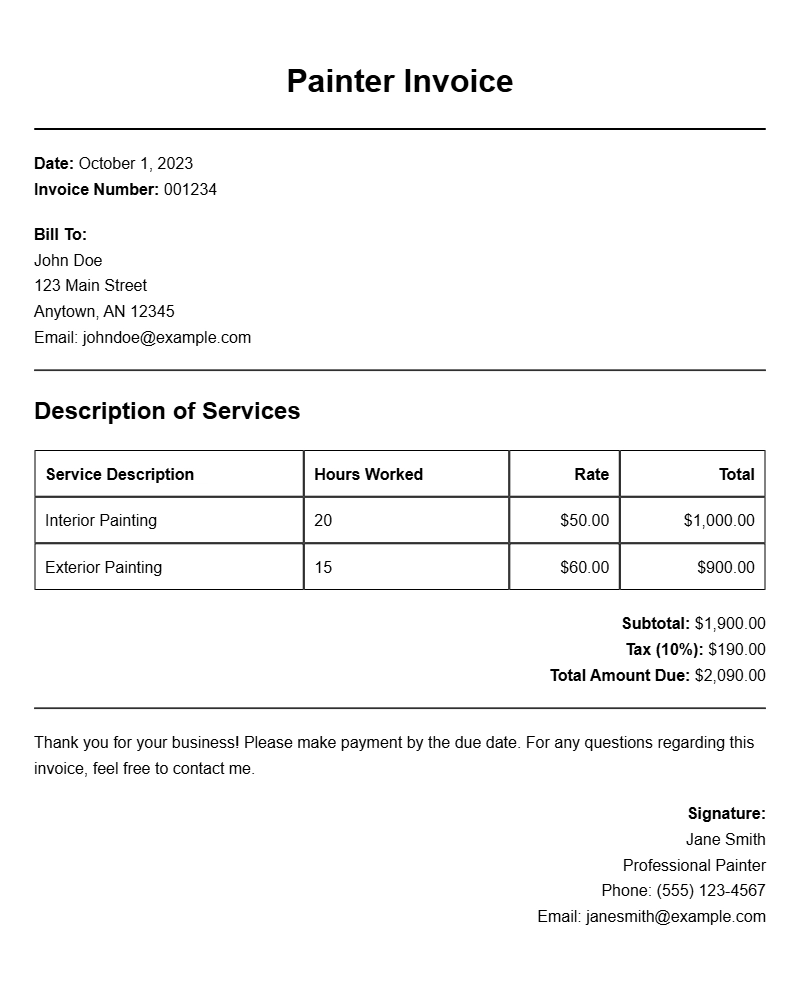
Basic Painter Invoice Template
Invoice
Date: [Insert Date]
Invoice #: [Insert Invoice Number]
Billed To:
[Client Name]
[Client Address]
[City, State, Zip]
From:
[Your Name]
[Your Business Name]
[Your Address]
[City, State, Zip]
Services Provided:
| Description | Hours | Rate | Total |
|---|---|---|---|
| Interior Painting | 10 | $50 | $500 |
| Exterior Painting | 8 | $50 | $400 |
Total Due: $900
Payment is due within 30 days. Thank you for your business!
Detailed Painter Invoice Template
Invoice
Date: [Insert Date]
Invoice #: [Insert Invoice Number]
Billed To:
[Client Name]
[Client Address]
[City, State, Zip]
From:
[Your Name]
[Your Business Name]
[Your Address]
[City, State, Zip]
Job Summary:
Painting of living room and exterior walls.
Breakdown of Charges:
| Description | Quantity | Unit Price | Total |
|---|---|---|---|
| Paint | 5 Gallons | $30 | $150 |
| Labor | 15 Hours | $50 | $750 |
Total Amount Due: $900
Please make payment within 15 days. Thank you!
Painter Invoice with Payment Terms
Invoice
Date: [Insert Date]
Invoice #: [Insert Invoice Number]
Billed To:
[Client Name]
[Client Address]
[City, State, Zip]
From:
[Your Name]
[Your Business Name]
[Your Address]
[City, State, Zip]
Services Offered:
| Service | Quantity | Price | Total |
|---|---|---|---|
| Room Painting | 3 | $200 | $600 |
| Wall Preparation | 3 | $100 | $300 |
Total Due: $900
Payment terms: Net 30 days. Late payments will incur a fee.
Professional Painter Invoice Sample
Invoice
Date: [Insert Date]
Invoice #: [Insert Invoice Number]
Bill To:
[Client Name]
[Client Address]
[City, State, Zip]
From:
[Your Name]
[Your Business Name]
[Your Address]
[City, State, Zip]
Job Details:
| Description | Hours | Rate | Subtotal |
|---|---|---|---|
| House Interior | 6 | $60 | $360 |
| Garage Exterior | 4 | $60 | $240 |
Total: $600
Thank you for choosing our services!
Simple Painter Invoice Template
Invoice
Date: [Insert Date]
Invoice #: [Insert Invoice Number]
Billed To:
[Client Name]
[Client Address]
[City, State, Zip]
From:
[Your Name]
[Your Business Name]
[Your Address]
[City, State, Zip]
Services Rendered:
| Service | Amount |
|---|---|
| Residential Painting | $500 |
| Commercial Painting | $700 |
Total Due: $1200
Payments are due within 30 days of invoice receipt.
Comprehensive Painter Invoice Sample
Invoice
Date: [Insert Date]
Invoice #: [Insert Invoice Number]
Billed To:
[Client Name]
[Client Address]
[City, State, Zip]
From:
[Your Name]
[Your Business Name]
[Your Address]
[City, State, Zip]
Services & Costs:
| Task | Time (hrs) | Rate | Subtotal |
|---|---|---|---|
| Living Room | 10 | $50 | $500 |
| Kitchen | 8 | $50 | $400 |
Total Amount: $900
Thank you for your prompt payment!
Invoice Template for Residential Painters
Invoice
Date: [Insert Date]
Invoice #: [Insert Invoice Number]
Billed To:
[Client Name]
[Client Address]
[City, State, Zip]
From:
[Your Name]
[Your Business Name]
[Your Address]
[City, State, Zip]
Service Summary:
| Service Description | Quantity | Price per Unit | Total |
|---|---|---|---|
| Wall Painting | 5 Rooms | $200 | $1000 |
| Ceiling Painting | 5 Rooms | $100 | $500 |
Total Due: $1500
Payment due within 30 days. Thank you!
Customizable Painter Invoice Template
Invoice
Date: [Insert Date]
Invoice #: [Insert Invoice Number]
Billed To:
[Client Name]
[Client Address]
[City, State, Zip]
From:
[Your Name]
[Your Business Name]
[Your Address]
[City, State, Zip]
Service Charges:
| Description | Hours | Rate | Total |
|---|---|---|---|
| Interior Painting | 12 | $50 | $600 |
| Exterior Touch-ups | 5 | $50 | $250 |
Grand Total: $850
Payments accepted via bank transfer or check.