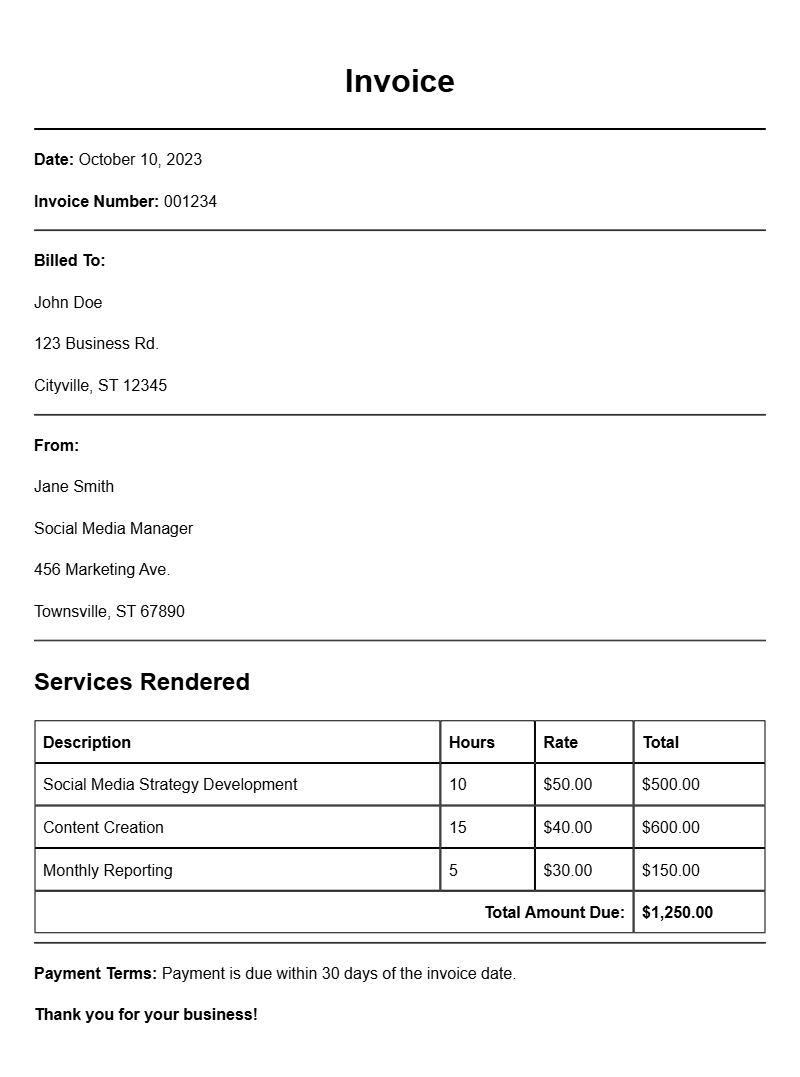
As a social media manager, keeping track of your work and getting paid on time is essential. One of the most effective ways to ensure smooth transactions is by using an invoice. If you’re unsure of how to create one or what it should look like, here’s a guide on social media manager invoice samples that can help you get started.
What is a Social Media Manager Invoice?
A social media manager invoice is a document that outlines the services provided, the amount due, and payment terms. It serves as a formal request for payment from a client, detailing the work you’ve done, the time spent, and any expenses incurred. This document is crucial for maintaining professionalism and ensuring you get paid for your efforts.
When is it Used?
Invoices are typically used after you complete a project or on a regular billing cycle, such as monthly. If you’ve managed a client’s social media for a month, submitted a specific campaign, or even handled an ad spend, it’s time to send an invoice. Using an invoice not only helps you organize your income but also offers your client a clear breakdown of what they’re paying for.
Key Components of a Social Media Manager Invoice
- Your Contact Information: Include your name, address, phone number, and email.
- Client’s Information: Clearly state the client’s name and contact details.
- Invoice Number: Assign a unique number for tracking purposes.
- Invoice Date: The date you’re issuing the invoice.
- Payment Due Date: Specify when you expect payment.
- Description of Services: List the services you provided with details.
- Amount Due: Clearly state the total amount, including any taxes or fees.
- Payment Methods: Specify how you accept payment (bank transfer, PayPal, etc.).
Step-by-Step Writing Guide
Creating your invoice can be straightforward. Here’s a simple process to follow:
- Start with your contact information at the top.
- Include your client’s information beneath yours.
- Add a unique invoice number and the date.
- List the services provided in a clear format.
- Calculate the total amount due.
- Specify payment methods and any additional notes.
Realistic Examples/Templates
Here’s a basic template you can adapt:
Your Name
Your Address
Your City, State, Zip
Your Email
Your Phone Number
Client’s Name
Client’s Address
Client’s City, State, Zip
Invoice #: 001
Invoice Date: [Date]
Due Date: [Due Date]
Description of Services:
– Monthly Social Media Management: [Details] – $[Amount]
– Facebook Ad Campaign: [Details] – $[Amount]
Total Amount Due: $[Total]
Payment Methods: PayPal, Bank Transfer, etc.
Notes: Thank you for your business!
Common Mistakes to Avoid
- Not including a unique invoice number can lead to confusion.
- Forgetting to specify payment terms might delay payment.
- Being vague in the description of services can lead to disputes.
Tips for Customization
Tailor your invoice to reflect your style and brand. Use your brand colors and logo to make the document visually appealing. Add a personal touch by including a thank-you note or a small discount for early payment. This not only looks professional but also fosters a positive client relationship.
Creating a clear and professional invoice is an essential skill for any social media manager. By following the guidelines above and using the samples provided, you can streamline your billing process and ensure that you get paid promptly for your hard work.
Ready-to-Use Document Samples