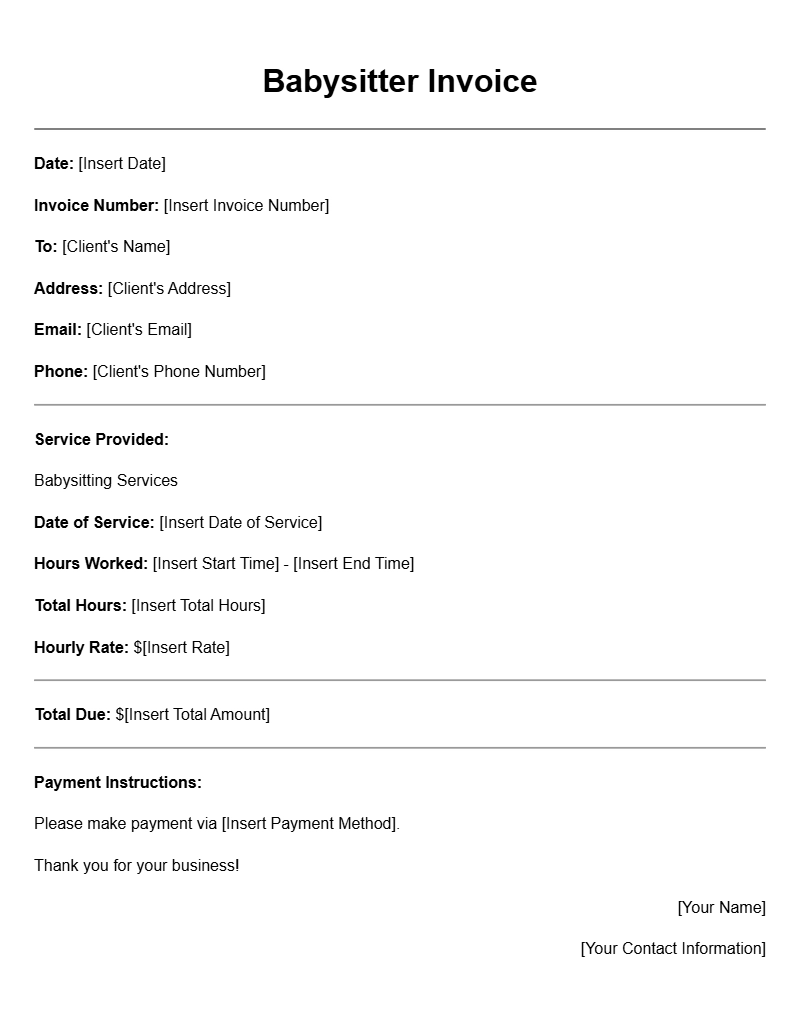
Creating a babysitter invoice can seem overwhelming, especially when you’re juggling multiple families and schedules. But with the right babysitter invoice templates, you can streamline the billing process and keep everything organized. Let’s break down how to create effective invoices that ensure you get paid on time.
What is a Babysitter Invoice Template?
A babysitter invoice template is a pre-formatted document that helps you bill families for your childcare services. It includes essential details like your name, the family’s name, hours worked, and the total amount owed. Using a template can make the invoicing process quicker, allowing you to focus on what really matters—taking care of the kids.
When to Use a Babysitter Invoice
You’ll typically use this invoice after providing babysitting services. Whether it’s a one-time job or a recurring arrangement, sending an invoice helps clarify payment expectations. Plus, it serves as a record for both you and the family, making tax season easier. Consider sending it out within a day or two of your service to keep everything fresh in everyone’s minds.
Key Components of a Babysitter Invoice
- Your Name and Contact Information: Make it easy for clients to reach you.
- Client’s Name and Address: Clearly state who the invoice is for.
- Service Date: Include the date(s) you provided babysitting services.
- Hours Worked: Specify the total hours you were on duty.
- Rate: List your hourly rate, whether it’s flat or tiered.
- Total Amount Due: Clearly state the total, taking into account any deposits or advance payments.
- Payment Instructions: Provide details on how the family can pay you, whether by cash, check, or online transfer.
How to Write a Babysitter Invoice: A Step-by-Step Guide
- Choose a Template: Start with a basic babysitter invoice template you can customize. You can find free templates online or create one from scratch in a word processor or spreadsheet.
- Fill in Your Information: Include your name, phone number, and email at the top. Make sure this is easy to read.
- Add Client Details: Write the family’s name and address below your information.
- List the Service Date: Clearly indicate when you provided your services.
- Detail Hours Worked and Rate: Write down the total hours you babysat and your hourly rate. Multiply to find the total amount due.
- Include Payment Instructions: Let families know how you prefer to be paid, whether it’s cash, check, or a digital method.
- Review and Send: Double-check for accuracy. Then send via email or hand it directly to the family.
Example of a Babysitter Invoice Template
Here’s a simple template you can adapt:
Your Name
Your Address
Your Phone Number
Your Email
Date: [Insert Date]
To:
Family Name
Family Address
Service Date: [Insert Date]
Hours Worked: [Insert Number of Hours]
Hourly Rate: $[Insert Rate]
Total Amount Due: $[Insert Total]
Payment Instructions: [Insert how you’d like to be paid]
Common Mistakes to Avoid
- Missing Information: Don’t forget to fill in all the necessary details—this can delay payment.
- Unclear Rates: Be upfront about your rates and any additional fees to avoid confusion.
- Not Following Up: If payment isn’t received within the agreed timeframe, don’t hesitate to send a friendly reminder.
Tips for Customization
- Consider adding your logo or a personal touch to make your invoice stand out.
- Adjust the template based on the type of babysitting you provide—infants, toddlers, or special events might warrant different rates.
- Keep a copy for your records, especially for tax purposes.
With a solid babysitter invoice template, you can make the billing process straightforward and professional. No more guessing games or confusion—just clear communication and timely payments. Ready to streamline your invoicing? Start by downloading or creating your personalized template today!
Editable Document Format Examples