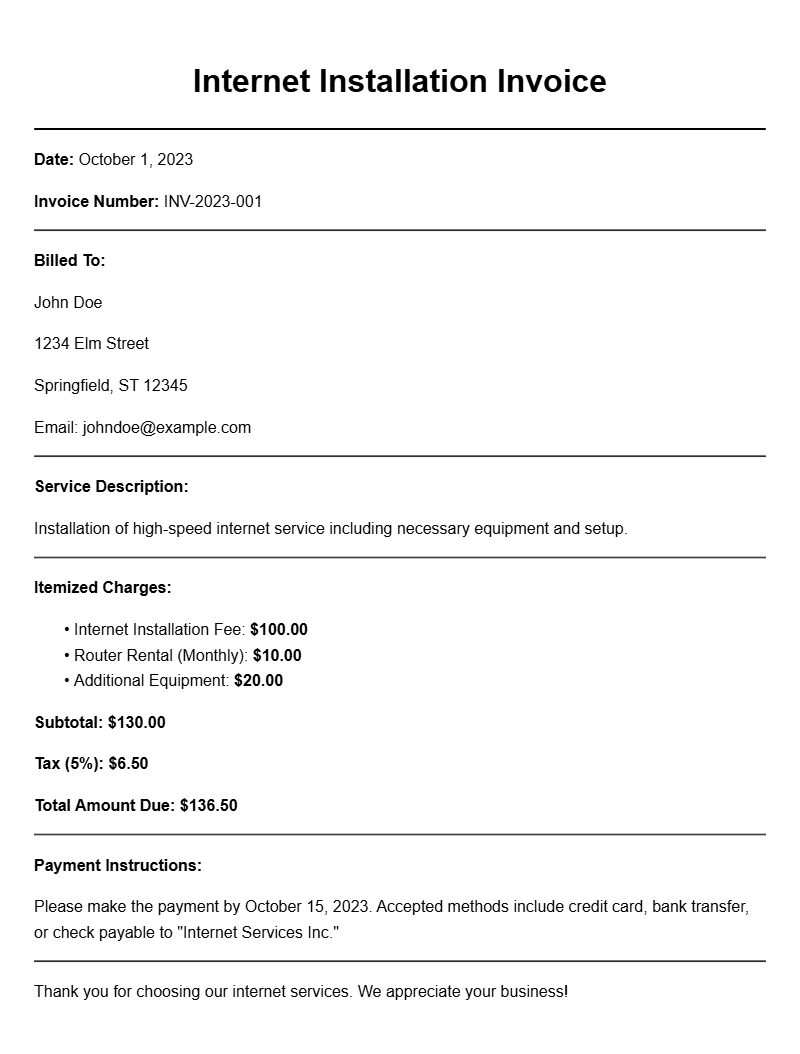
Creating an internet installation invoice can seem daunting, especially if you’re not familiar with the components that make it effective. But having a clear, professional invoice is essential for ensuring prompt payment and maintaining good client relationships. Let’s break down what you need to know about internet installation invoice templates, when to use them, and how to create one that works for you.
WHAT IS AN INTERNET INSTALLATION INVOICE TEMPLATE?
An internet installation invoice template is a pre-formatted document that outlines the services provided during an internet installation, detailing the costs, taxes, and payment terms. It serves as a formal request for payment and is essential for both service providers and clients to keep track of transactions.
WHEN IS IT USED?
This type of invoice comes into play after completing an internet installation job. Whether you’re a freelance technician or part of a larger company, sending an invoice helps ensure that you get paid for your work. It’s used to itemize the services rendered, making it easy for clients to understand what they are being charged for.
KEY COMPONENTS OF AN INTERNET INSTALLATION INVOICE
- Header: Your business name, logo, and contact information.
- Client Information: Name and contact details of the person or company being billed.
- Invoice Number: A unique identifier for tracking.
- Date of Issue: The date the invoice is sent.
- Description of Services: Detailed list of installation tasks performed.
- Costs: Breakdown of charges (labor, materials, taxes).
- Subtotal and Total: Clear display of the total amount owed.
- Payment Terms: Due date, accepted payment methods, and any late fees.
STEP-BY-STEP WRITING GUIDE
- Start with your business information at the top.
- Include the client’s contact details right below yours.
- Assign an invoice number and date for easy reference.
- List the installation services provided, including labor hours and materials used.
- Calculate the total cost and ensure it’s clearly marked.
- Specify payment terms, such as due dates and acceptable payment methods.
REALISTIC EXAMPLES AND TEMPLATES
Here’s a simple example of what an internet installation invoice might look like:
ABC Internet Services
123 Tech Lane
Tech City, TX 12345
(123) 456-7890
info@abcinternet.com
Invoice #: 001234
Date: October 1, 2023
Bill To:
John Doe
456 Client St.
Client City, TX 67890
Description of Services
– Internet Installation (Labor) – 5 hours @ $50/hour: $250
– Router and Equipment: $100
Subtotal: $350
Tax (8%): $28
Total: $378
Payment Terms: Due by October 15, 2023. Accepting credit card and bank transfer.
COMMON MISTAKES TO AVOID
- Not including clear payment terms, which can lead to confusion.
- Failing to itemize services, making it hard for clients to understand charges.
- Overlooking follow-up reminders if payment is not received on time.
TIPS FOR CUSTOMIZATION
Your invoice should reflect your brand. Consider customizing colors or fonts to match your business style. You can also adjust the template to include any specific services unique to your business. For instance, if you offer maintenance services, include a section for ongoing support costs.
Creating an effective internet installation invoice doesn’t have to be complicated. By using a clear template and following a structured format, you can streamline your invoicing process and ensure you get paid on time. For more specialized invoice templates, check out options like retainer invoices, bricklayer invoices, or dance competition invoices. Each has unique components tailored to specific services.
Common Document Templates & Previews