As a software developer, managing your finances can sometimes feel as complex as coding itself. One crucial aspect of this is creating invoices that accurately reflect your work and ensure you get paid on time. Using software developer invoice templates can simplify this process, saving you time and reducing stress.
WHAT IS A SOFTWARE DEVELOPER INVOICE TEMPLATE?
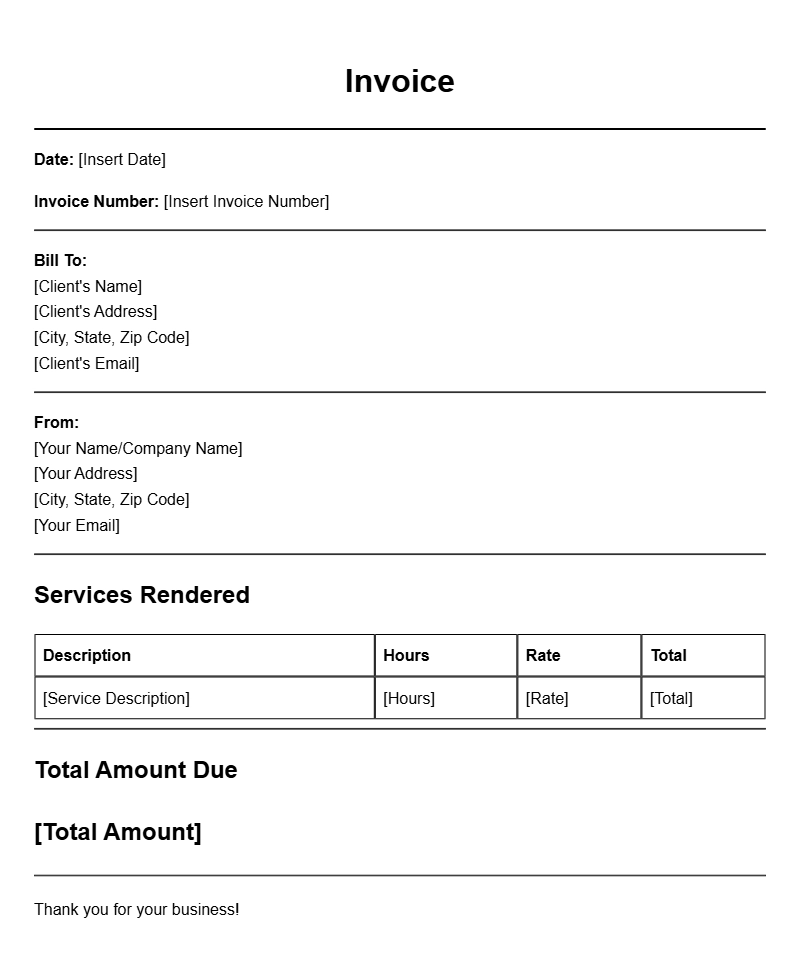
A software developer invoice template is a pre-designed document that helps you detail the services you’ve provided to your clients. It typically includes sections for itemizing your work, noting hours or project milestones, and specifying payment terms. This document not only serves as a formal request for payment but also acts as a record of your professional transactions.
WHEN IS IT USED?
You’ll use an invoice template whenever you complete a project or deliver a service to a client. Whether you’re freelancing, working on a contract basis, or running your own software development company, sending a clear and professional invoice is essential for maintaining good client relationships and ensuring timely payments.
KEY COMPONENTS OF A SOFTWARE DEVELOPER INVOICE
- Your contact information: Name, address, phone number, and email.
- Client’s information: Include the client’s name, company name, and contact details.
- Invoice number: A unique identifier for easy tracking.
- Date of issue: The date you send the invoice.
- Payment terms: Specify when payment is due (e.g., “Due upon receipt” or “Net 30 days”).
- Description of services: A detailed breakdown of the work you performed.
- Hourly rate or project fee: Clearly state your rates for transparency.
- Total amount due: Sum it all up to show the total your client needs to pay.
STEP-BY-STEP WRITING GUIDE
- Choose a template: Look for a clean, professional layout that suits your style.
- Fill in your details: Start with your contact information at the top.
- Add client information: Next, include your client’s details right below yours.
- Assign an invoice number: This helps both you and your client keep track of payments.
- Specify the date: Make sure to include the date you’re issuing the invoice.
- Detail your services: List what you did, how long it took, and your rates.
- Calculate the total: Add up your fees and present the total due clearly.
- Review: Check for any errors before sending.
REALISTIC EXAMPLES AND TEMPLATES
Here’s a simple example of what your invoice might look like:
John Doe Software Development
1234 Code Lane
Tech City, TX 12345
Email: john@example.com
Phone: (123) 456-7890
Invoice Number: 001
Date: October 1, 2023
Billed To:
Jane Smith
Tech Innovations Inc.
5678 Innovation Ave
Tech City, TX 12345
Description of Services
– Web application development: 20 hours @ $50/hour
– Code review: 5 hours @ $50/hour
Total Due: $1,250.00
COMMON MISTAKES TO AVOID
- Missing details: Always include all necessary information to avoid confusion.
- Vague descriptions: Be specific about the services you’ve provided.
- No invoice number: This can make tracking payments difficult.
- Incorrect math: Double-check your calculations to ensure accuracy.
TIPS FOR CUSTOMIZATION
Feel free to tweak your invoice template to match your brand. Here are a few ideas:
- Use your logo to enhance professionalism.
- Choose colors and fonts that reflect your personal style.
- Include a brief note thanking your client for their business.
Using software developer invoice templates can streamline your billing process and help maintain a professional image. By customizing your templates and avoiding common pitfalls, you can ensure that you’re getting paid promptly and accurately. Whether you’re working on a single project or managing multiple clients, a well-structured invoice is your best tool for financial success.
Editable Document Format Examples