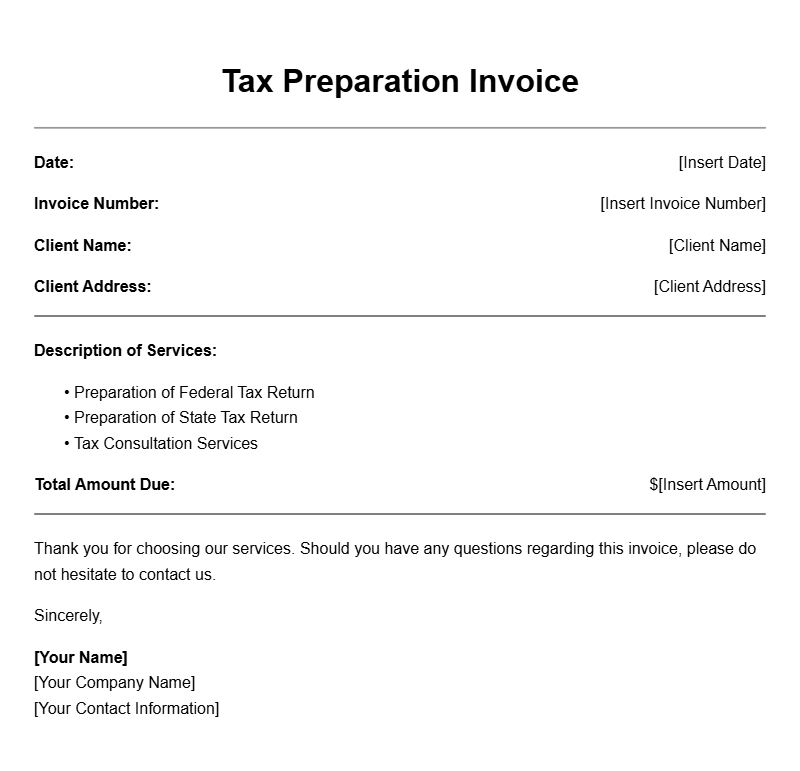
Are you a tax preparer looking for a straightforward way to bill your clients? Using a tax preparer invoice template can save you time and help you present a professional image. This guide will walk you through everything you need to know about these templates, including when to use them, what to include, and tips for customization.
What Is a Tax Preparer Invoice Template?
A tax preparer invoice template is a pre-formatted document that helps you itemize the services you provided to your clients and the corresponding fees. It streamlines the billing process, ensuring that you capture all necessary information clearly and accurately. This is crucial for maintaining good client relationships and ensuring timely payments.
When Is It Used?
You typically use a tax preparer invoice after you’ve completed a client’s tax preparation. This document serves as a formal request for payment and outlines the services rendered, which can include tax filing, consulting, and other related tasks. Providing an invoice promptly after your work can greatly improve cash flow and client satisfaction.
Key Components of a Tax Preparer Invoice
- Your Business Information: Include your name, address, phone number, and email.
- Client Information: Add the client’s name and contact details.
- Invoice Number: Assign a unique number for reference.
- Invoice Date: The date you issue the invoice.
- Service Description: Clearly list the services provided.
- Fees: Specify the cost of each service.
- Total Amount Due: Clearly state the total amount owed.
- Payment Terms: Include due dates and accepted payment methods.
Step-by-Step Writing Guide
Creating a tax preparer invoice can be straightforward. Here’s a simple process to follow:
- Choose a Template: Start with a basic template that fits your style.
- Fill in Your Information: Add your business details at the top.
- Add Client Info: Insert the client’s name and contact information.
- Specify Services: Clearly outline the services you provided.
- List Fees: Include prices next to each service for clarity.
- Calculate Total: Make sure to sum the costs accurately.
- Set Payment Terms: Clarify when and how you expect payment.
Realistic Examples/Templates
Here’s a basic template snippet you can edit:
Your Business Name
Your Address
Your City, State, ZIP
Your Phone Number
Your Email
Invoice Number: [#001]
Invoice Date: [MM/DD/YYYY]
Bill To:
Client Name
Client Address
Client City, State, ZIP
Description of Services:
– Tax Preparation Services: $[amount]
– Consultation: $[amount]
Total Amount Due: $[total amount]
Payment Terms: Due within 30 days. Accepting checks and bank transfers.
Common Mistakes to Avoid
- Omitting Essential Information: Always include all relevant details to avoid confusion.
- Calculating Errors: Double-check your math to ensure accuracy.
- Ignoring Payment Terms: Clearly state your payment terms to avoid delays.
Tips for Customization
Don’t hesitate to personalize your invoice template. Here are a few ideas:
- Add your logo for branding.
- Adjust the color scheme to match your business’s style.
- Include a note of thanks or reminder about your services.
Using a tax preparer invoice template can streamline your billing process and enhance your professionalism. By customizing your invoice, you can create a personal touch that may lead to repeat business. Start with a basic template, fill it out accurately, and you’ll be on your way to managing your invoices efficiently.
Sample Documents for Multiple Use Cases