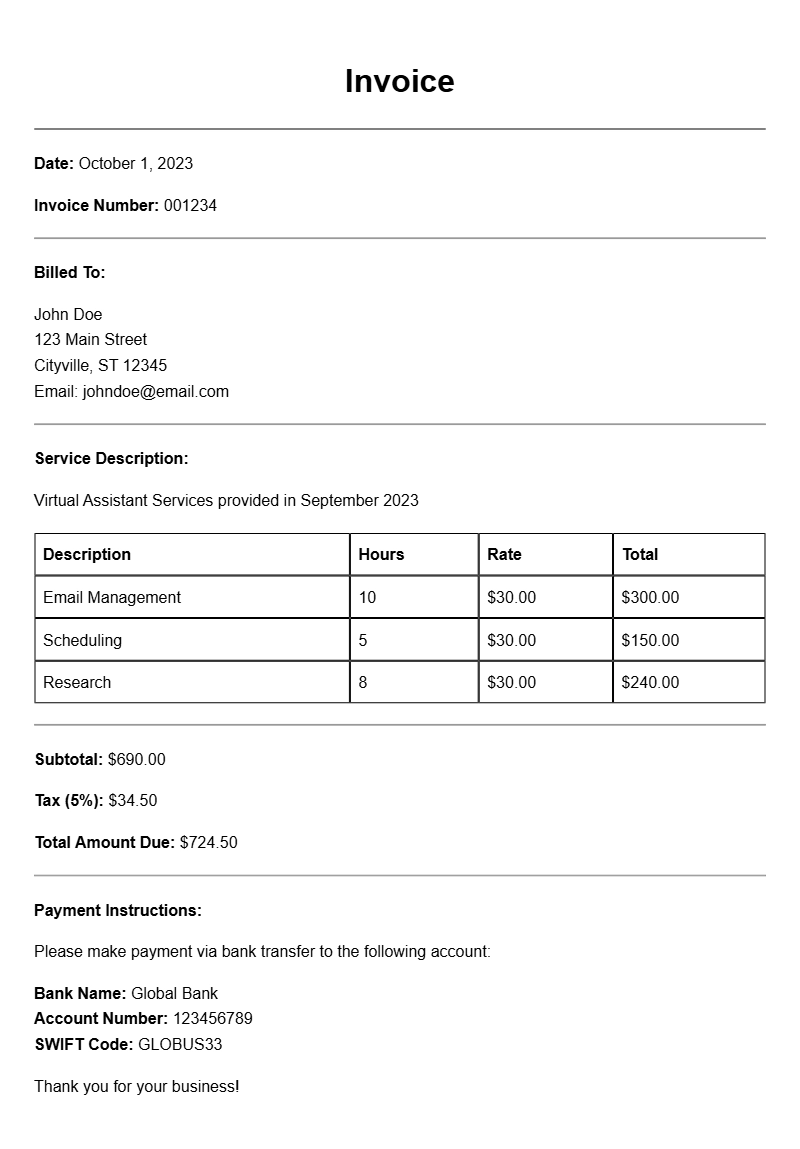
For virtual assistants, creating invoices can feel daunting, especially when you’re juggling multiple clients and projects. A well-structured invoice not only helps you get paid on time but also presents a professional image to your clients. Let’s explore what virtual assistant invoice samples look like, when to use them, and how to create your own.
WHAT IS A VIRTUAL ASSISTANT INVOICE?
A virtual assistant invoice is a document that outlines the services you provided to a client, along with the associated costs. It serves as a formal request for payment and includes important details such as your business information, client details, services rendered, and payment terms.
WHEN TO USE A VIRTUAL ASSISTANT INVOICE
Send an invoice after completing a project or at regular intervals (like monthly) for ongoing work. This helps keep your cash flow steady and ensures that clients know when to expect payments.
KEY COMPONENTS OF A VIRTUAL ASSISTANT INVOICE
- Your Business Information: Include your name, address, phone number, and email.
- Client Information: List the client’s name and contact details.
- Invoice Number: A unique number for tracking.
- Date: The date the invoice is issued.
- Services Provided: A detailed description of the work done.
- Cost: The rate for each service, along with total amounts.
- Payment Terms: Specify due date and accepted payment methods.
STEP-BY-STEP WRITING GUIDE
- Start with Your Information: At the top, include your name and contact details. This acts as a header.
- Client Details: Right below your info, add the client’s name and contact information.
- Invoice Number and Date: Assign a unique invoice number and include the date of issuance.
- List Services: Describe each service you provided, along with hours worked and rates. Be clear and concise.
- Total Amount Due: Sum up the costs and display the total prominently.
- Payment Instructions: Clearly state how and when you expect to be paid.
REALISTIC EXAMPLES
Here’s a simple example of how your invoice might look:
Your Name
Your Address
Your Email
Your Phone Number
Client Name
Client Address
Client Email
Invoice #001
Date: October 1, 2023
Description of Services:
– Social Media Management (10 hours @ $25/hour) – $250
– Email Newsletter Design (5 hours @ $30/hour) – $150
Total Amount Due: $400
Payment Terms: Due by October 15, 2023. Pay via PayPal or bank transfer.
COMMON MISTAKES TO AVOID
- Missing Details: Always double-check that all necessary information is included.
- Unclear Descriptions: Vague service descriptions can lead to payment delays. Be specific.
- Not Following Up: If payment hasn’t been received by the due date, send a polite reminder.
TIPS FOR CUSTOMIZATION
Feel free to customize your invoice to reflect your brand. Use your logo, choose a color scheme that matches your business, and adjust the layout to make it visually appealing. Consider using tools like Google Docs or specialized invoicing software to create and manage your invoices efficiently.
Creating a solid virtual assistant invoice doesn’t have to be complicated. With the right template and attention to detail, you can streamline your billing process and maintain a professional image. Need more specific templates? Check out these resources: coaching invoices, tree service invoices, spray painting invoices, fundraising invoices, and chef invoices.
Document Structure & Example Models