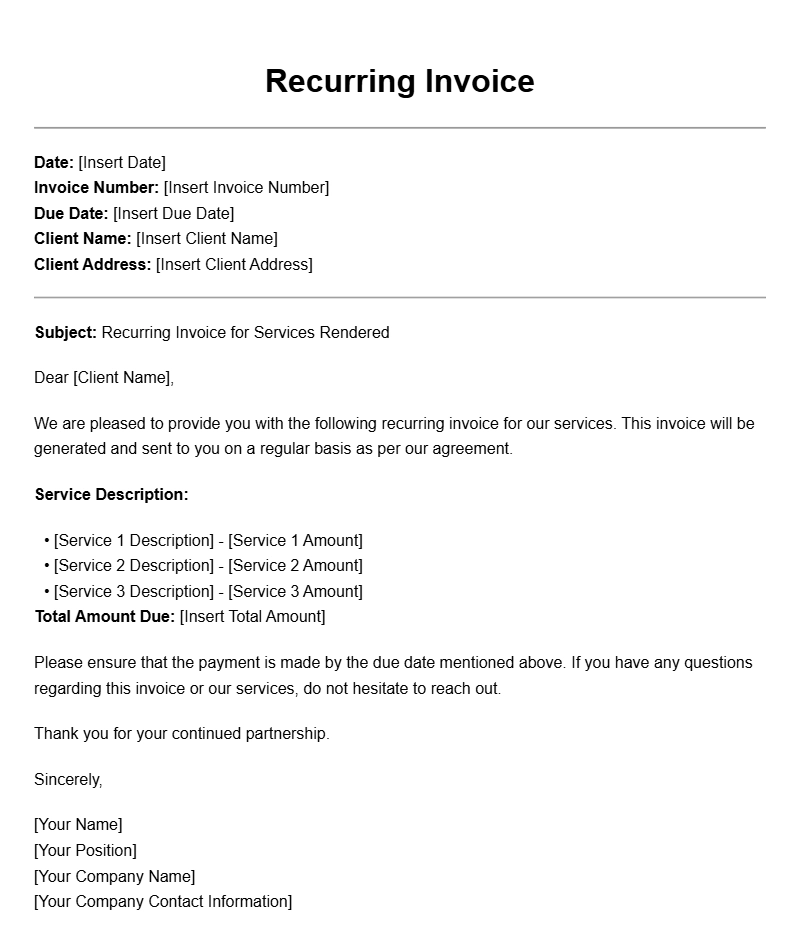
Recurring invoice templates are invaluable tools for freelancers and businesses that provide ongoing services or products. If you regularly bill clients for services rendered, these templates can streamline your billing process, ensuring you’re efficient and consistent. In this article, we’ll explore what recurring invoice templates are, when to use them, their key components, and how to create your own tailored versions.
What is a Recurring Invoice Template?
A recurring invoice template is a pre-designed document that allows you to bill clients at regular intervals, such as weekly, monthly, or quarterly. Instead of starting from scratch each time you need to send an invoice, you can fill in the details using your template. This not only saves time but also helps maintain a professional appearance.
When to Use Recurring Invoice Templates
These templates are particularly useful for businesses that operate on subscription models or provide ongoing services. Some common scenarios include:
- Monthly retainer services (e.g., marketing agencies, consultants)
- Subscription-based products (e.g., software as a service)
- Regular maintenance services (e.g., cleaning, landscaping)
Key Components of a Recurring Invoice Template
A well-structured recurring invoice template typically includes the following sections:
- Header: Your business name, logo, and contact information
- Client Information: Name and address of the client
- Invoice Details: Invoice number, date, and due date
- Description of Services: Detailed breakdown of services provided
- Payment Terms: Accepted payment methods and due dates
- Recurring Schedule: Details on how often the invoice will be sent
- Total Amount Due: Clear indication of the total charge
Step-by-Step Guide to Writing Your Recurring Invoice
Creating a recurring invoice template can be straightforward. Here’s a simple guide to help you:
- Choose a Format: Decide whether you want to create your template in Word, Excel, or a specialized invoicing tool.
- Set Up Your Header: Include your business name, logo, and contact info at the top.
- Insert Client Information: Leave space to fill in the client’s name and address for each invoice.
- Add Invoice Details: Include fields for invoice number, date, and due date.
- Detail Your Services: Create a table to list services, quantities, and prices.
- Outline Payment Terms: Specify how and when you expect payment.
- Specify the Recurring Schedule: Clearly indicate how often the invoice will recur.
- Calculate Total: Ensure the total amount due is easily visible.
Realistic Examples of Recurring Invoice Templates
Here’s a simple snippet of what a recurring invoice template might look like:
Your Company Name
Logo
123 Business St.
City, State, Zip
Email: contact@yourcompany.com
Phone: (123) 456-7890
Invoice To:
Client Name
Client Address
Invoice #: 001
Date: [Insert Date]
Due Date: [Insert Due Date]
| Description | Quantity | Price |
|---|---|---|
| Monthly Consulting Fee | 1 | $500.00 |
Total Amount Due: $500.00
Payment Terms: Due upon receipt. Accepting payments via bank transfer or PayPal.
Recurs Monthly on the [Insert Date].
Common Mistakes to Avoid
When creating your recurring invoice template, keep an eye out for these common pitfalls:
- Forgetting to update client details regularly
- Not specifying payment terms clearly
- Using complex language that could confuse clients
Tips for Customization
To make your recurring invoice template more effective, consider these customization tips:
- Incorporate your brand colors and fonts to maintain consistency.
- Add a personal note or message to strengthen client relationships.
- Include links to your website or social media for additional engagement.
Creating a recurring invoice template tailored to your business needs can significantly ease your billing process. By following the steps outlined and avoiding common mistakes, you’ll ensure timely payments while maintaining a professional image. For more specialized invoice templates, check out resources like vehicle inspector invoice templates, tax preparer invoice templates, or designer invoice templates. Happy invoicing!
Template Variations & Sample Formats