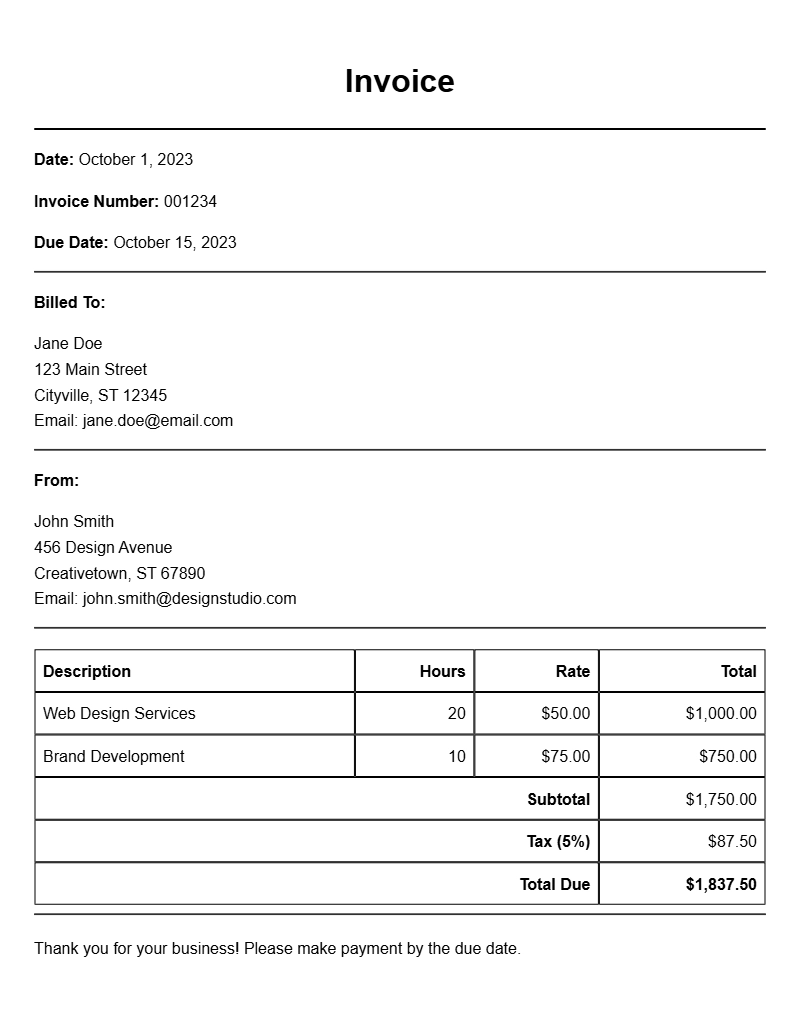
When you’re a web designer, sending out invoices is a crucial part of your business. An effective invoice not only helps you get paid but also reflects your professionalism. If you’ve ever found yourself staring at a blank document, unsure of what to include, you’re not alone. This article will guide you through everything you need to know about web designer invoice samples, helping you create invoices that are clear, concise, and easy to understand.
WHAT IS A WEB DESIGNER INVOICE?
A web designer invoice is a document that details the services you provided to a client, along with the costs associated with those services. It’s a formal request for payment and serves as a record of the work you’ve completed. This document typically includes your business information, client details, and a breakdown of the services rendered.
WHEN IS IT USED?
You’ll use an invoice after completing a project or reaching a milestone in a long-term project. It’s essential to issue an invoice promptly to ensure you receive payment in a timely manner. Having a systematic approach to invoicing can improve your cash flow and maintain good relationships with your clients.
KEY COMPONENTS OF A WEB DESIGNER INVOICE
Here are some essential sections to include in your invoice:
- Your Business Information: Include your name, business name, address, phone number, and email.
- Client Information: Add your client’s name, company name, and contact details.
- Invoice Number and Date: Assign a unique invoice number and date to track payments easily.
- Description of Services: List the services you provided along with their costs.
- Payment Terms: Specify how and when you expect to be paid (e.g., net 30 days).
STEP-BY-STEP WRITING GUIDE
Creating an invoice can be straightforward. Here’s a step-by-step guide to help you write one:
- Start with your business information at the top.
- Include your client’s information below yours.
- Add the invoice number and date.
- List your services with clear descriptions and corresponding costs.
- State the total amount due and your payment terms.
REALISTIC EXAMPLES AND TEMPLATES
To make it easier, here’s an editable snippet you can use to create your own invoice:
Your Name
Your Business Name
Your Address
Your Email
Your Phone Number
Client Name
Client Company Name
Client Address
Invoice Number: 001
Date: [Insert Date]
Description of Services:
– Website Design: $500
– Logo Creation: $200
Total Amount Due: $700
Payment Terms: Due within 30 days
COMMON MISTAKES TO AVOID
While creating your invoice, watch out for these common pitfalls:
- Forgetting to include your contact information can lead to payment delays.
- Not providing a clear breakdown of services may confuse clients.
- Omitting payment terms can lead to misunderstandings about when payment is due.
TIPS FOR CUSTOMIZATION
To make your invoice stand out, consider these customization tips:
- Use your branding colors and logo to create a professional look.
- Include personalized notes to clients thanking them for their business.
- Consider using invoicing software that offers templates for easy editing.
Creating a web designer invoice might seem daunting at first, but with the right template and structure, it can be a simple task. Keep your invoices transparent, detailed, and professional, and you’ll ensure smoother transactions with your clients. For further inspiration, check out templates for pay-as-you-go projects, power washing services, or even subscription models. Happy invoicing!
Editable Document Format Examples